Contacts
Managing integrations
In the "Integrations" menu item under "Configurations," you can connect the Kontozz system to other applications and webshop engines.
Here you can manage API keys, Unas and WordPress connections, which can be used to automate billing and data transfer.
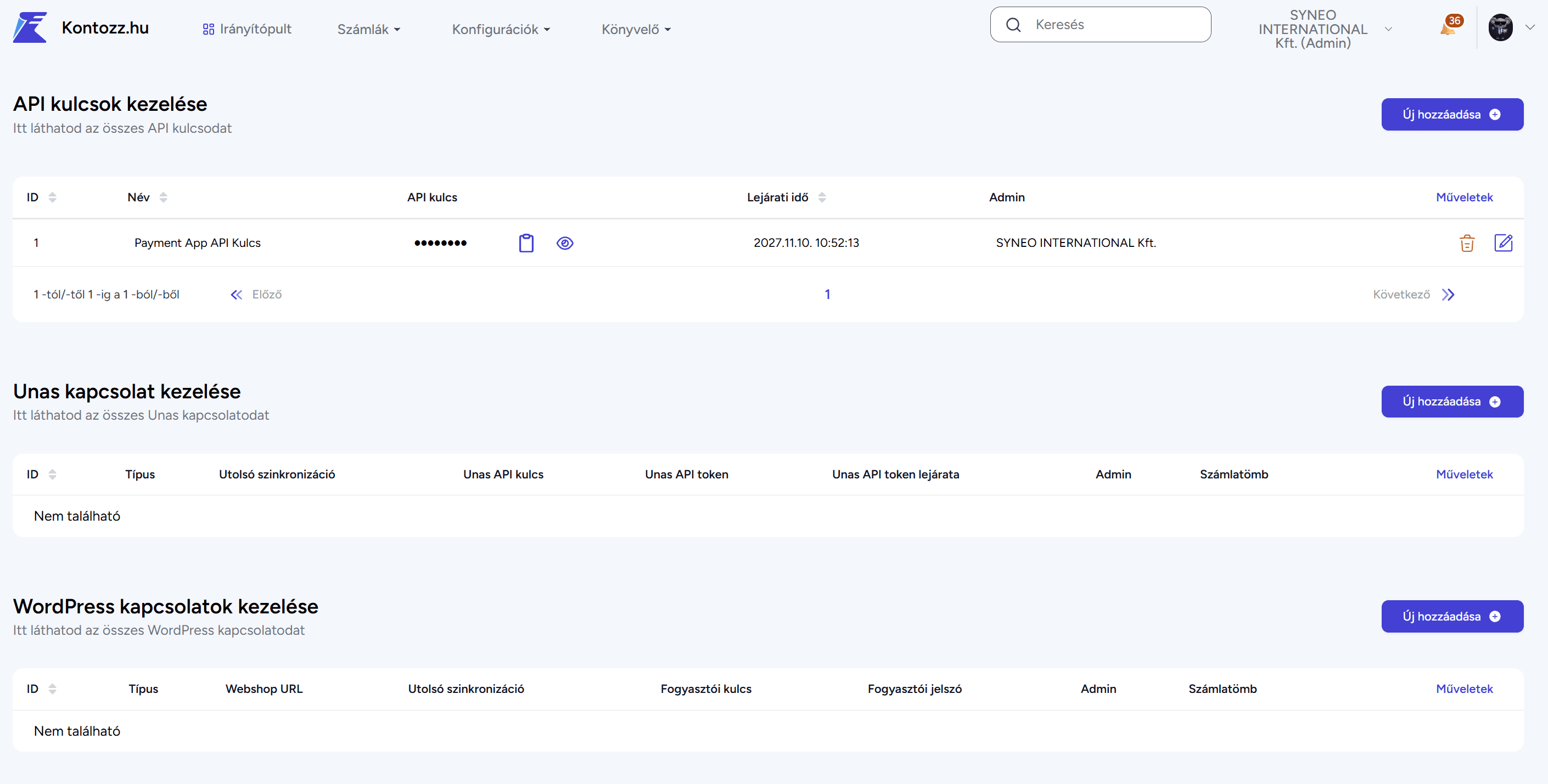
API key management
API keys enable external systems (such as web shops and enterprise management software) to communicate with the Kontozz system. This allows for automatic invoice creation and data synchronization.
Page content:
ID – unique identifier of the key
Name – the name of the API key
API key – a system-generated identification string
Expiration date – the period of validity of the key
Admin – the user who created it
Creating a new API key:
Click on the "Add New" button.
Add:
API key name
Company (to which it belongs)
Expiration date – how many days until the key expires
Click on the "Save" button.
Once the key has been created, it will appear in the API key details section, which can be inserted into
for integration with other systems.
Managing and maintaining relationships
Existing integrations can be edited or deleted at any time in the Actions column .
It is recommended to check the expiration date of the keys and the date of the last synchronization from time to time to ensure that the data connection remains continuous.
When a key expires, a new API key must be created and the external system must be reconnected to it.
Any other questions? Get in touch